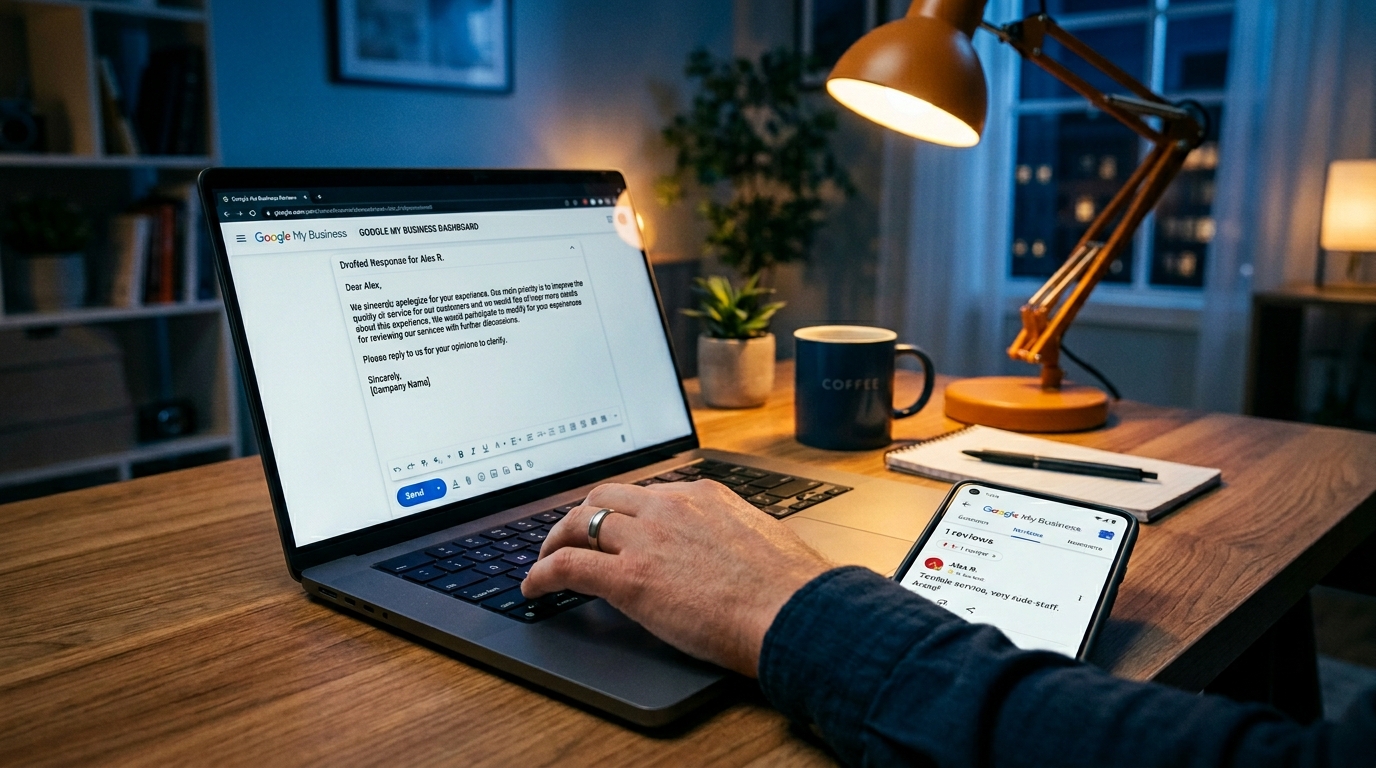
Negative Google reviews: how to handle dissatisfied customers with AI (practical guide)
Practical guide to using AI and free tools such as ChatGPT, Trello and Zapier to monitor and respond to negative reviews on Google My Business, turning disappointed customers into satisfied ones.
Meta Description.
Learn how to use AI to respond quickly to negative Google reviews, turn disappointed customers into regulars, and protect your business' sales. Free tool and easy steps to get started today.
Google reviews and unhappy customers: AI helps you manage it all
Think of Marco, who runs a full restaurant in Milan. At 10:30 p.m. he closes the accounts, shuts down the kitchen, and goes home dead tired after a busy evening. The next morning he opens Google My Business and is confronted with a one-star review: "Table not ready, very slow service, never again!" The customer is angry, and meanwhile five people have already seen the score drop to 4.2. If you respond in the wrong way, you lose other customers who read the discussion in public; if you do nothing, you look like someone who doesn't care, and the reputation damage slowly grows.
Marco, as happens to so many who have businesses, spent nights thinking about it, with sales dropping 10-15% in the days after. Fortunately, there is now a practical way to turn the situation around without having to know a lot about technology. With AI you respond professionally in minutes, you control everything even while you sleep, and you bring a furious customer back happy, maybe telling people about it. You don't need a social team-just free tools you set up in 10 minutes and you're good to go. If you have a restaurant, hotel, or store like Marco, this guide tells you exactly what to do to defend your reputation and get more happy customers. Learn how Leader24 helps restaurants with 24/7 support, unifying chat and responses in one place without complications.
What you need before you get started.
Before you go through the steps, get these basic things together: it takes 15 minutes and you spend nothing at first. You need to have an active Google My Business account, and if you don't have one go to business.google.com, click "Manage Now" and verify the place with a zip code-immediately you see the panel with reviews. Download WhatsApp Business for free from the App Store or Google Play: open the app, put in your business number, upload logo and description, and in two minutes you have templates for quick messages.
Then create a free account on ChatGPT (chat.openai.com, you sign up with Google email, and use up to large limits without paying). Download Trello (trello.com, free, create a board in one click) and Calendly (calendly.com, free account for basic appointments). Total 15 minutes, and you don't need to be a computer whiz-they made these tools for people like Marco, who runs the restaurant by himself without technical help. Once everything is set up, go to the steps-Marco tried them and got his score back on track in a week.
Step 1: Set up 24/7 monitoring so you don't miss any Google reviews.
The first step is to enable automatic alerts so Marco no longer has any nasty surprises in the morning. Open Google My Business on your phone or PC, go to "Reviews," click the notifications icon (the little bell at the top) and turn on "Email and push notifications for new reviews." Set "All Reviews," and get an email right away, even at 11 p.m. when 40 percent of customers look at reviews after dinner.
To keep everything in order open Trello, create a "Restaurant Mark Reviews" board, add "New" and "Reply" lists. Link it with Zapier for free (zapier.com, search for "Google My Business to Trello," click "Create Zap" - in three clicks each new review becomes a card with copied text). To test write a fake review from another phone, see the email in a minute and the card on Trello. Basically 68% of customers avoid places without responding to reviews, so for Marco it means no lost tables in the evening. Now you're protected all day long without having to think about it all the time.
Step 2: Generate a professional response with AI in 2 minutes.
When the alert comes, AI creates an empathetic response for you in no time. Copy the text of the review (like Marco's: "Table not ready, service very slow"), go to ChatGPT, paste it and write, "Write an empathetic response for this negative review about a restaurant in Milan. Be sincere, offer a concrete solution like a free coffee, invite people to WhatsApp me. Maximum 100 words, friendly tone." Press send and in 10 seconds you have, "Hi [Name], I am so sorry for the delay on your table last night, I understand the frustration after a long day. I invite you to come back for a complimentary coffee: write me on WhatsApp at [your number]. Thanks for the feedback, Marco."
You personalize it with the client's name from Google, copy it into Google My Business under the review and post. You see it online right away, with likes coming in. For an extra touch, open Canva (canva.com for free), search "Review Response" template, put "Complimentary coffee for you!" with a picture of a coffee, download the PNG and attach it. Marco did this for five reviews: from 3.5 to 4.3 stars in seven days. AI gives you natural answers when you want them, with no mistakes, and Google says those who answer them all have 20 percent higher ratings-for a place like his, plus busy tables.
Step 3: Post the response and initiate personalized follow-up on WhatsApp.
Reply in public within 24 hours, then go private to fix. After you post on Google (click "Reply" under review, paste text from AI, post - "Published Reply" appears in green), open WhatsApp Business, look up client's number (from Google or ask for it in reply: "Write me on WhatsApp"). Send a ready template: "Hi [Name], this is Marco from the restaurant. Given your feedback, here is Calendly link for 5 minutes free and solve: [insert your calendly.com link]. Free coffee is waiting for you!"
First create link on Calendly: set up 5-minute "Customer Follow-up" event, link Google Calendar (click "Integrations," authorize -- block slots by itself). You send it, the client books, and you get the email with the time. Marco has taken back three customers like this: one came back with friends and left five stars. So anger becomes loyalty, and sales stay firm.
Step 4: Organize and track reviews with a simple system.
Don't leave things scattered: Trello manages the flow from start to finish. In the "New" card (which comes from Zapier) put a checklist: "Read Review," "Generate AI," "Publish Google," "Follow-up WhatsApp." You assign it to you (click "Members," add your email), put 24-hour deadline. When finished you move the card to "Responses" and see the dashboard with the percentage completed.
For basic numbers link Google Analytics (analytics.google.com, free, add tracking to restaurant site). If you already use WhatsApp for reservations, tools like Leader24 make automatic AI responses and human switching easy, all at once. See e-commerce case studies that have grown this way. Marco now tracks 20 reviews a month effortlessly, with weekly reports ready.
Step 5: Build loyalty with unique offers and monitor results.
To keep customers happy over time, give something of value afterward. In the Calendly call make sincere apologies and send a 20% off coupon on WhatsApp, then ask, "How can I do better?" Send a "Your table is reserved for the next one" photo. Try again after 30 days. That way comes more real five stars. Marco got 15% more reservations per month. Discover scalable plans if you want to do more automatic.
Common mistakes to avoid with reviews.
So many respond poorly, like "That's not true!" and make everything worse because customers read and run away. Or they send generic stuff like "Thank you," which sounds fake and far off: always use name and a real solution. Ignoring at night does big damage, or promising without acting (like "Call me" without a Calendly link). Don't check private messages: 40% switch to WhatsApp after a review. Marco stopped doing them, moving from chaos to control.
How to check that it works and what to do if something is wrong.
To check write a mock review and follow the steps: does the alert come? Does the AI generate well? Does the follow-up start? Look at Google My Business: the rating goes up, the answers are there. On Trello see all 100% closed cards. If the alert doesn't come check Google notifications again and reactivate. If ChatGPT is slow use shorter prompts. For Marco after one week: average stars up by 2, four customers returned. AI-powered responses increase confidence by 35% according to recent data. Try ChatGPT today with your worst review. More on the blog.
Pret a transformer votre service client ?
Activez votre assistant IA sur WhatsApp en 5 minutes. 30 jours d'essai gratuit, sans carte.
Articles similaires
Comment choisir le logiciel de gestion idéal pour votre entreprise
Vous en avez assez de courir après vos données entre vos e-mails et vos feuilles Excel ? Découvrez comment choisir le logiciel de gestion idéal pour optimiser votre travail et gagner du temps.

La robotique dans les entrepôts : comment optimiser la logistique d'entreprise
Découvrez comment la robotique de pointe et l'intelligence artificielle peuvent éliminer les erreurs de gestion des stocks, améliorer l'efficacité et simplifier le travail.

Santé numérique : comment gérer ses données personnelles de manière simple et sécurisée
Découvrez comment gérer en toute sécurité les données sensibles de vos clients, tout en évitant les risques informatiques et les sanctions au sein de votre cabinet.