Construction Site Management: How to Optimize Time and Profits Today
Learn how to improve productivity on construction sites through pre-construction planning, BIM, process automation, and digital tools for businesses.
You’re at the construction site at 7:30 a.m. when the phone rings. It’s the supplier asking for confirmation on the windows and doors, while the client wants to know if the bathroom will be ready by the agreed-upon date. At the same time, the surveyor messages you on WhatsApp about a design change that needs to be approved by noon. Your plan for the day goes out the window before it even begins.
The problem isn’t that you’re short on time. Every interruption forces you to start from scratch, piecing the project back together each time. These days, speed isn’t achieved by running faster. It’s achieved by using tools that make the pre-construction process smooth, structured, and less prone to errors.
Why the pre-construction phase has become the heart of your profit
Pre-construction is no longer just about paper and technical drawings. It’s the stage where you prevent extra costs that, on-site, turn into changes during construction and shrinking profit margins. As BibLus points out, proper management during this phase ensures consistency and quality throughout the project’s entire lifecycle. When you plan well, unforeseen issues decrease and your profit margin increases accordingly. It’s not theory—it’s math: less demolition, fewer reworks, and fewer wasted man-days. The pre-construction phase is when you decide whether the job site will run like clockwork or turn into an obstacle course.
How BIM Is Simplifying Day-to-Day Work on the Construction Site
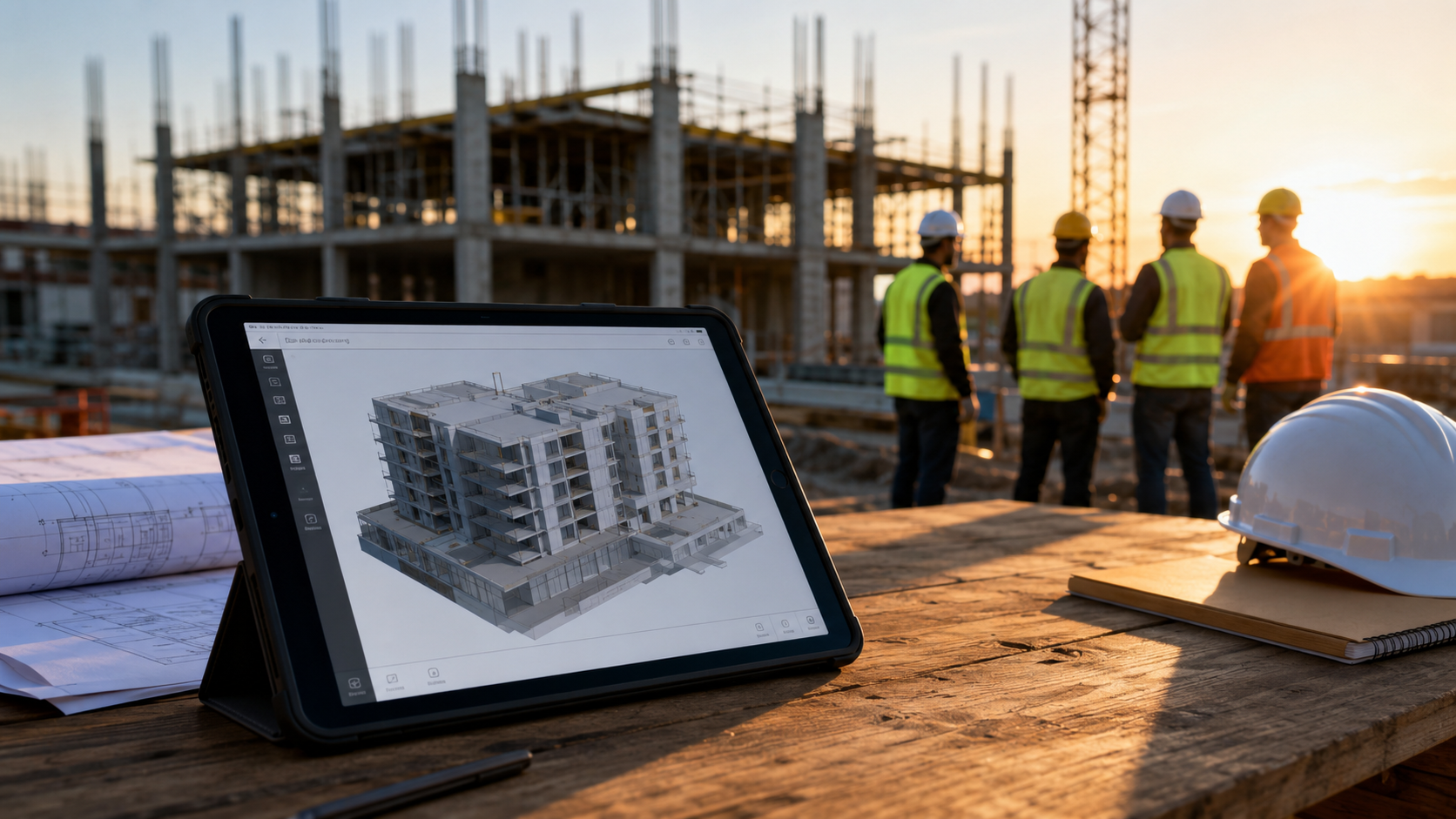
Building Information Modeling isn’t just software for visionary architects. It’s a digital model that lets you identify conflicts between systems and structures before you even lay the first brick. BIM functions as a digital twin of the actual building and helps builders and contractors collaborate more effectively, avoid mistakes, and save time. In practice, instead of discovering on-site that a plumbing pipe runs exactly where a load-bearing beam was supposed to be, the digital model alerts you immediately. You save days of work, demolition costs, and that awkward phone call to the client. BIM doesn’t replace your experience—it enhances it by giving you a big-picture view that you’d never have on paper.
New Regulations and CAM: How to Avoid Being Caught Off Guard
With the entry into force of the new construction CAM regulations, effective February 2, 2026, technical compliance has become a cornerstone of planning. It is no longer an optional task to be delegated at the last minute, but a requirement that affects design, contracting, and maintenance. There’s only one practical piece of advice: don’t manage your paperwork in a fragmented way. Use centralized management software to track technical documentation starting from the bidding phase, so you avoid wasting precious time during the bidding process searching for certifications, technical data sheets, and environmental declarations that you could have filed away earlier. Compliance can’t be improvised—it must be planned.
How to Handle Customer Inquiries Without Disrupting the Construction Site
A customer calling to check on your progress is one of the main causes of losing focus. Every phone call is an interruption, and every interruption takes you away from your actual work. If you don’t answer right away, the customer thinks you’re ignoring them. The solution is to automate the initial response. If you want to handle quote requests or basic updates without having to answer the phone while you’re on-site, you can use tools like Leader24. This platform helps you qualify requests and respond to customers on WhatsApp and your website automatically, leaving you free to work. Manage all your conversations in one place without ever losing an important contact.
Which Digital Tools to Use to Coordinate Teams
Technology should be simple. You don’t need ten different software programs—you need three tools that make a difference and that your teams can use without any training. Trello helps manage daily tasks on the job site with a visual column-based system: each task is a card that moves from “to do” to “done,” so everyone can see everything without having to call the site manager. Calendly lets you schedule site visits without exchanging ten emails or messages, because the client chooses an available time and the appointment automatically gets added to your calendar. WhatsApp Business keeps business communication professional and separate from your personal life, with a product catalog, quick replies, and automated welcome messages. Choose tools that integrate with each other or require minimal training. Technology on the job site should be like a hammer: you pick it up and it works, without an instruction manual.
How to Streamline Bureaucracy and Renovation Procedures
The reform of the Consolidated Building Code aims for structural simplification. ANCE proposes standardizing these simplifications—that is, permanently incorporating into the new Code many solutions developed during the emergency phase, particularly for the restoration of existing buildings and functional flexibility. Here’s some practical advice: don’t try to do everything on your own. Rely on consultants who use standardized digital processes. Those who adopt digital methodologies today will have an advantage tomorrow in renovation and regeneration procedures. You can’t eliminate bureaucracy—you have to navigate it with the right tools.
Frequently Asked Questions
Is BIM only useful for large projects?
No. Even for a single-family home or an average renovation, BIM helps you visualize conflicts, calculate quantities, and track changes. It’s not a matter of project size; it’s a matter of complexity. Even a small project can be complex.
How long does it take to see the first results with these tools?
If you start with basic BIM software or an automated customer request management system, you’ll see the first results within two weeks. You don’t need a year of training—just an hour of initial setup and the discipline to use the tool every day.
Can I get started without management software?
You can, but you risk falling behind. Planning on paper or in shared Excel spreadsheets works only up to a point. Then a project comes along with three variations, four suppliers, and two overlapping deadlines, and the Excel spreadsheet is no longer enough. Start with a simple tool—but just start.
The first step to take today isn’t to change everything tomorrow morning. It’s to digitize a small process—such as collecting customer requests, perhaps using an automated chat system—or to try visualizing your next project with basic BIM software. Speed comes from order, not from rushing.
Leader24 Insights
If you’d like to learn more about how Leader24 addresses the topics discussed, here are some resources to get you started:
Ready to transform your customer service?
Activate your AI assistant on WhatsApp in 5 minutes. 30-day free trial, no credit card required.
Fonti
Related articles

Perché il rallentamento dell'IA è un vantaggio per la tua azienda
I colossi tech rallentano lo sviluppo dell'IA: scopri perché questa prudenza rende i tuoi strumenti di automazione più stabili, sicuri e professionali.
Come semplificare il lavoro automatizzando i processi aziendali
Scopri come integrare i tuoi strumenti di lavoro, automatizzare le attività ripetitive e centralizzare le informazioni per eliminare il caos quotidiano.

Smart TVs in the Office: How to Protect Your Customers' Privacy
A Smart TV in the waiting room can compromise data security. Learn how to set up your devices correctly and protect your practice's network.