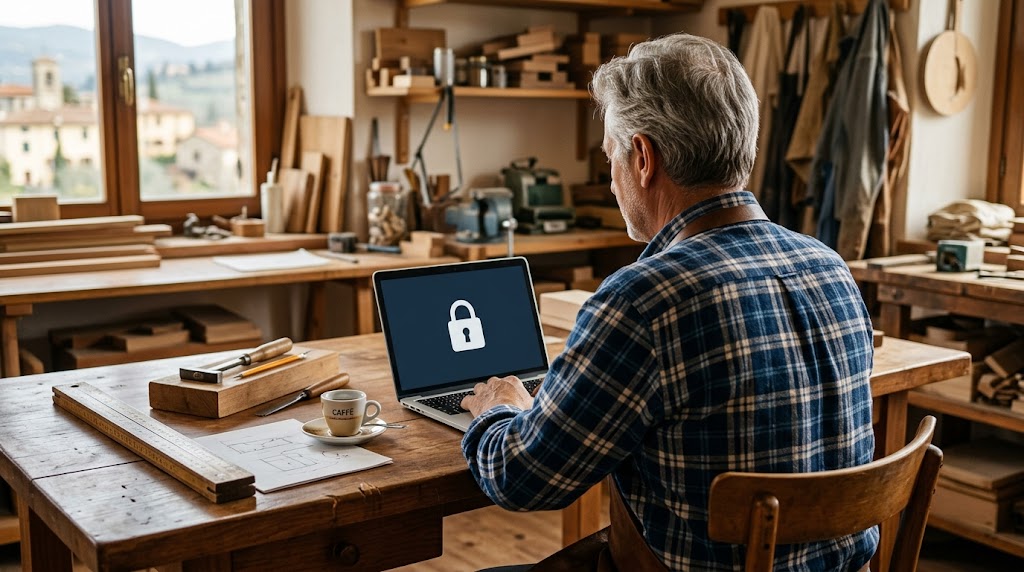
Data security: practical guide to protect your small business
Learn how to protect your customers' data with simple habits and effective tools, avoiding the common risks of leakage and cyber attacks.
You had just finished sorting out the invoices. You get a message on WhatsApp: it's a new customer sending you his social security number, address, and an ID, all in an unsecured chat. You close your phone and wonder: if I lose this device tomorrow or it gets stolen, what happens to my customers' information?
Data security is not an IT problem. It is a daily responsibility, similar to closing the firm door when you leave. You don't need degrees, you need simple habits and well thought out tools.
What it really means to "protect data" in daily work.
Protecting data means ensuring three specific conditions: that information remains accessible only to you and your authorized employees (confidentiality), that it is not accidentally altered (integrity), and that it is always available when you need it (availability). Cybersecurity experts from the Milan Polytechnic Observatory use precisely these three pillars to define secure information management.
Translated into practice: don't think about complex systems. Think of your customers' data as paper documents. You would never leave contracts in plain sight on your desk with the door open, and the same logic applies to digital. Every piece of information you collect needs a closed "container," not to remain scattered among your personal phone, reception PC, and notebook.
What are the real risks for a small business in 2026.
Those with small businesses often imagine hackers as distant enemies, attacking banks and multinational corporations. The reality is different: the most frequent risks arise from human error or outdated tools, not from movie attacks. Malware and phishing, the classic scam emails, are still the most common and dangerous threats today.
A concrete example: a craftsman receives a seemingly normal invoice, clicks on the link to download it, and within seconds blocks the entire management system with estimates. The real damage is not just data theft, but the inability to work for days, with clients waiting and deadlines slipping.
How to manage customer contacts without risking information leaks.
The most common problem among professionals is leakage. Client data ends up in different places: Excel sheets on the desktop, quick notes on the phone, WhatsApp history, personal emails. Each step is a potential leak, and if a device breaks or is lost, recovering everything becomes impossible.
Centralizing communications in professional platforms is the first real defense: a single, secure environment where customer requests and information are handled without bouncing between different apps. If you want to simplify this step by avoiding scattering sensitive data all over the place, Leader24 allows you to manage customer conversations in a single space, without having to jump from WhatsApp to management to the note on the phone.
Three simple actions to armor your business.
No need for an in-house IT department. Three everyday actions change the level of protection instantly:
- Two-Factor Authentication (2FA). Activate it on every important account: email, WhatsApp Business, management access. It's that temporary code you receive on your phone after entering your password, an extra step that stops most unauthorized access.
- Password manager. Always using the same password for all services is like having one key for home, office and safe. Apps like Bitwarden or 1Password generate complex passwords and remember them for you, so you only have to memorize one main password.
- VPN for public connections. If you often work outside the office and connect to Wi-Fi at the coffee shop or airport, a VPN encrypts the data you send and receive, making the connection secure even over open networks.
What to do if you suspect unauthorized access.
The rule is: don't panic, but take immediate action. Disconnect your device from your Wi-Fi network or mobile data, then immediately change your master passwords starting with email, because whoever controls your inbox can reset access to all other services. If sensitive customer data has been exposed, notify those involved transparently and quickly.
If you have contractors or employees, avoid the most common mistake: sharing owner credentials. Each person should have their own profile with permissions limited to the work they do. The less access an account has, the less damage it can do in the event of a problem.
How to educate yourself (and your team) about security.
Security is not software that you install once and forget. It is a daily habit, and most incidents arise from haste and distraction, not from lack of tools.
Create a simple rule for yourself and those who work with you. Call it the "5-second rule": when an email arrives with a link or attachment, stop for five seconds and ask yourself, "Was I expecting this file?" If the answer is no, don't click and ask the sender for confirmation through another channel. Five seconds of pause prevents more damage than any antivirus.
Frequently asked questions
Do I really need to worry if
I have a small business with few customers?
Yes. Small businesses are more frequent targets than large companies because they often have minimal defenses and easily resold data. You don't have to be a bank to be in the crosshairs.
Is using WhatsApp with customers safe?
WhatsApp offers end-to-end encryption, but the risk is not the app itself, but the management. If you keep professional conversations on your personal phone, without protected backups and without a system to separate business data, the danger of leakage is high.
What is the first thing to do today to improve security?
Enable two-factor authentication on all work accounts: email, management, WhatsApp Business. It is the single action that most dramatically reduces the risk of unauthorized access.
Start here tonight. Don't try to change everything at once: open your work email security settings, turn on 2FA, and you've already taken the most important step. Data protection is built one habit at a time, and the first one is the one that makes you sleep easier.
Leader24 Insights
If you want to learn more about how Leader24 addresses the issues, these are the starting resources:
Ready to transform your customer service?
Activate your AI assistant on WhatsApp in 5 minutes. 30-day free trial, no credit card required.
Fonti
Related articles

Perché il rallentamento dell'IA è un vantaggio per la tua azienda
I colossi tech rallentano lo sviluppo dell'IA: scopri perché questa prudenza rende i tuoi strumenti di automazione più stabili, sicuri e professionali.
Come semplificare il lavoro automatizzando i processi aziendali
Scopri come integrare i tuoi strumenti di lavoro, automatizzare le attività ripetitive e centralizzare le informazioni per eliminare il caos quotidiano.

Smart TVs in the Office: How to Protect Your Customers' Privacy
A Smart TV in the waiting room can compromise data security. Learn how to set up your devices correctly and protect your practice's network.