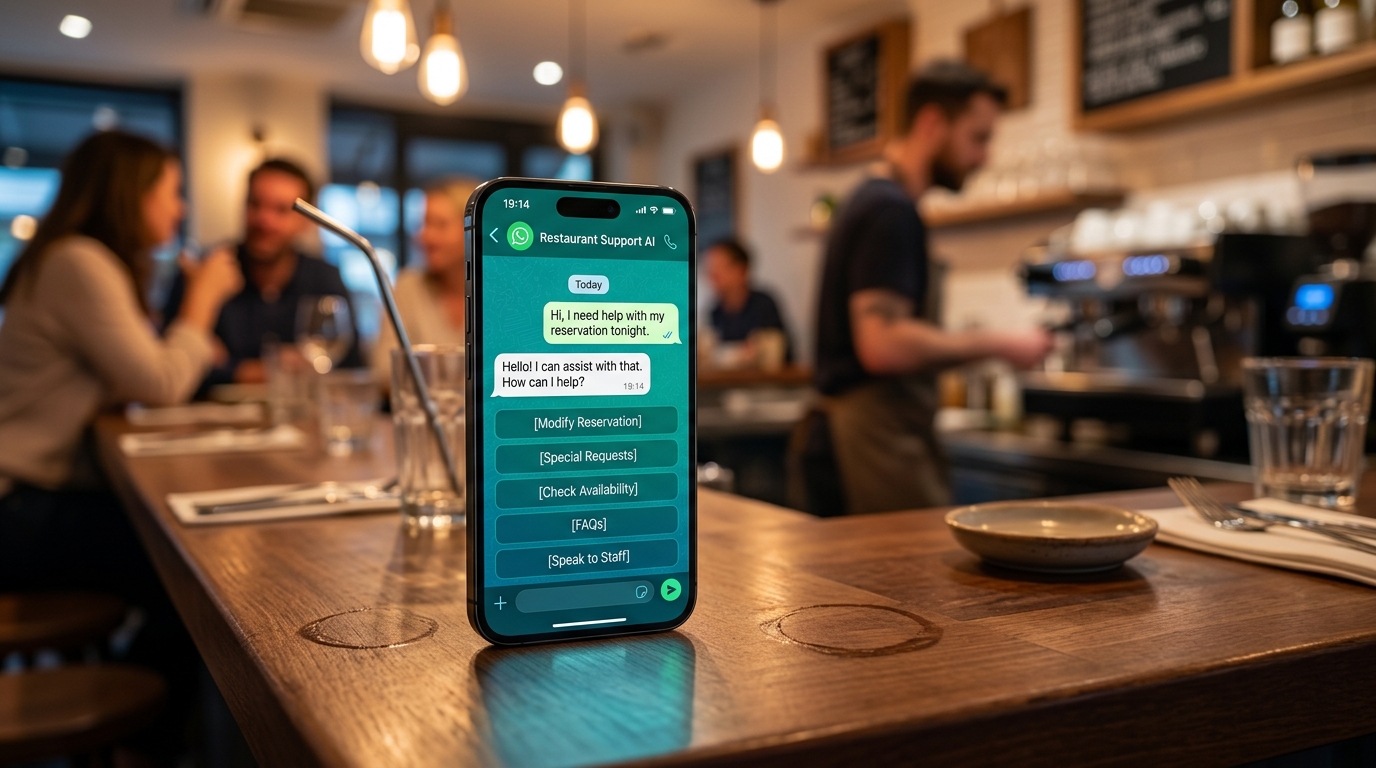
Fast and accurate responses: how AI improves customer service without hiring
Practical guide to setting up automated AI responses on WhatsApp with ChatGPT in 30 minutes: 24/7 customer support for restaurants and e-commerce, without hiring extra staff and freeing up valuable time.
Imagine having to respond to dozens of messages on WhatsApp every night from your restaurant or shop-it steals valuable time and risks losing you customers. With this practical guide, you can set up automated AI responses in less than 30 minutes, so your customers get help around the clock without having to hire extra staff. That way, you free up time to focus on what really matters in your business.
Handling customer service by hand often means missing important opportunities, for example, when a customer texts you at 11 p.m. for a reservation and you are already in bed. The response doesn't arrive until the next day, and in the meantime he has booked from the competitor. AI for customer service solves this: it gives quick and accurate answers in seconds, day and night, without additional shifts or fixed charges. So you save time, lower stress, and keep customers attached to your store, as real cases recount on DeepAgent.
This guide is designed for you who run a restaurant, e-commerce or professional practice, without needing to be a technology expert. I guide you step-by-step to make responses to customers more efficient using free tools like WhatsApp Business and ChatGPT. Get started with customer service automation today and you will immediately notice an increase in sales. Many restaurants and hotels are already doing this to grow, as you see on Leader24.
What you need before you get started.
Before moving on to the practical steps, get these basics ready: it will take you just 10 minutes. Download WhatsApp Business on your smartphone if you don't already have it-it's free from the app store. Create a free account at chat.openai.com to generate natural text, list 5-10 common questions from your customers on a sheet, like "Opening hours?" or "Are you open tonight?" The total setup takes 20-30 minutes, with no cost or code to write.
With everything ready, you can get started right away. Now let's move on to the steps to set up the system.
Why does waiting lose customers (and how to avoid it right away)?
If a customer waits more than 5 minutes without a response, they often leave because they expect the same quick service as in a physical store. For your business, this translates into abandoned carts in e-commerce or lost reservations at restaurants. Systems with AI handle messages faster than humans, cutting waits and errors, as LiveAgent explains. The result is happy customers who buy more and leave positive reviews.
**Step 1: Activate WhatsApp Business for basic responses. Open the WhatsApp Business app, go to Settings, then Business Tools and Quick Messages. Create the first message, "Thank you for writing! We are open from 9 a.m. to 7 p.m. For the menu, type 1. Otherwise, write us tomorrow." Save it as "Out of Hours" and test it by sending a message to yourself-the response appears in 2 seconds. Set it to send automatically when you are not online.
Basically, this free tool covers 70% of the simple questions, so you free yourself for the rest.
Step 2: How does AI respond 24/7 without extra staff?
AI like ChatGPT understands natural language and responds in seconds, handling nights and weekends without fixed costs. It learns from your past conversations to give accurate responses, for example confirming room availability at a hotel at 3 a.m., as TeamSystem describes.
What to do: Go to chat.openai.com and create a prompt like, "Answer as a restaurant owner in Milan: 'Do you have tables for 4 tonight? Allergies nuts.' Use a friendly tone and offer alternatives." Copy the generated response and save it as a quick message in WhatsApp Business. Test it from your secondary phone-you will receive a natural retort in Italian.
Your team is thus dedicated to complicated cases, and you sleep soundly. If you prefer an integrated system on WhatsApp and site with human switching, try Leader24.
Step 3: What free tools to try to get started today?
You can start with three no-cost tools: WhatsApp Business for mobile, ChatGPT for creating texts, and Calendly for quick appointments. Each sets up in minutes and integrates easily.
WhatsApp Business (free): Use templates for saved responses. Go to Settings, Tools and Template messages away. Create 3-5 for frequently asked questions such as "Deliveries?": "We deliver in 45 minutes to downtown Milan with Glovo." Set them to automatically send out of hours so customers have immediate confirmations and the abandonment rate decreases.
ChatGPT (free basic): Generate custom answers for FAQs. Use a prompt such as, "Create 10 answers for a clothing store on sizes, returns and promotions." Copy everything into a Google document in 5 minutes.
Calendly (free basic): Connect it to your Google Calendar and create a link for reservations, like "Book a table." Include it in AI responses, "Click here to make a reservation." For a professional firm, combine WhatsApp and Calendly: qualify leads in chat by asking "Describe the problem" and schedule a call. The setup takes 10 minutes, with accurate responses on the spot.
Step 4: How to make AI answers accurate for your business?
To make the AI respond like one of your employees, enter your specific data such as menus, prices, and FAQs in prompts or templates. This way, the responses will fit your business like a glove.
Detailed steps: List 10 common questions on the phone, for example in a restaurant, "Vegan menu?" or "Parking?" In ChatGPT write, "You are the assistant to my [business name]. Menu: pizza 12€, pasta 10€. Answer: 'How much is margherita pizza?'" Save the 10 responses in WhatsApp under Quick Messages, with shortcuts like /pizza.
For deliveries or allergens add details: "We don't use nuts, gluten-free alternative available." Test with a friend by sending them a question and check for accuracy. Use free Trello to organize: create a "FAQ AI" board with question and answer cards, "To be tested," "Ready" and "Live" columns. That way you keep everything consistent and reduce errors, as LiveAgent suggests.
Step 5: When to switch from AI to human (and how to make it fluid)?
AI recognizes complex questions and passes the ball to the operator with all the context, without making the customer repeat anything. In WhatsApp Business it creates a quick message, "I understand, I'll pass you to a human expert. One moment." Then turn on notifications to alert you (Settings > Notifications).
For advanced AI, use a prompt in ChatGPT: "If the question is about reimbursement over $100, say 'I'll connect you to the team' and save the context." For example, if a customer says "I don't understand, I want to talk to a real one?" the AI provides a summary of the chat to the human. Recent guides on AI for customer service confirm that context remains even when changing channels. Eighty percent of cases are resolved with AI, leaving the team free for extra sales.
How to verify that it works
Check average response time, first contact resolution rate, and reviews on Google or WhatsApp. These are easy metrics to set up in 5 minutes.
Simple metrics (5 minute setup): In WhatsApp Business look at Stats > Average response time, targeting under 2 minutes. In Google Analytics add the chat to the site and track conversions from there. After a week, check reviews in Google My Business to see more stars.
In an ecommerce business, you'll notice more conversions after AI because questions about shipping get resolved right away. Analytics for Conversations help you if the business grows.
Common mistakes and solutions: If answers are too general, add details in prompts as actual prices. If the AI gets it wrong, test 20 questions and refine. If there are too many steps to the human, expand the FAQ to 20.
Conclusion.
By following these steps, you go from hours spent in manual chats to automated responses that generate sales even while you sleep. Customers stay satisfied, stress drops, and your business grows without new hires.
The first step is to download WhatsApp Business if you miss it, list 5 top customer questions and test answers with ChatGPT tonight. In 15 minutes you already see results. Watch real case studies and try it for free here for 30 days to measure the impact.
Listo para transformar tu servicio al cliente?
Activa tu asistente AI en WhatsApp en 5 minutos. 30 dias de prueba gratis, sin tarjeta.
Fonti
Artículos relacionados

Creatività veloce: come comunicare meglio senza perdere tempo
Scopri come creare campagne efficaci per la tua piccola impresa senza stress, puntando su messaggi autentici e sistemi di gestione automatizzati.

Privacy per Piccole Imprese: Gestire i Dati in Modo Semplice
Gestisci i dati dei clienti senza stress. Scopri come organizzare le informazioni, proteggere la privacy e semplificare il tuo lavoro quotidiano.

Workflow visivi: come automatizzare il lavoro senza programmare
Scopri come usare i workflow visivi e il no-code per automatizzare compiti ripetitivi, risparmiare tempo e far crescere la tua attività senza scrivere codice.