Smart Speakers in the Office: How to Protect Company Data
Find out how to manage smart speakers in the office to prevent leaks of confidential data and maintain control over your company's privacy.
You’re in your office, wrapping up a phone call with a supplier, and you’ve just dictated the terms of a confidential agreement. You hang up the phone, turn around, and see the smart speaker on your desk. The one you use for background music and to check tomorrow’s weather. You pause for a moment: Was it turned on while you were talking? Did someone, somewhere, just overhear that conversation?
For an entrepreneur, office technology is a time multiplier. But certain devices, if chosen without care, can turn into open microphones for your business data. Let’s see how to choose the right hardware so you don’t have to sacrifice convenience while maintaining control over what stays private.
Why Choosing Hardware Isn’t Just About Design
Most entrepreneurs choose a smart speaker based on sound quality or price. That’s a mistake. These devices aren’t just Bluetooth speakers—they’re nodes in a network that process voice data and send it to external servers. According to a buying guide, a smart speaker is the intersection of a speaker and a virtual assistant that processes information.
When you bring a device like this into your office or store, you’re adding a microphone that’s always powered on to your Wi-Fi network. The difference between one model and another lies in the transparency of the manufacturer’s privacy policy and the presence of physical controls that let you turn off the microphone when it’s not needed. This isn’t a minor detail—it’s the first line of defense between your data and those who shouldn’t have access to it.
What “hardware muting” of the microphone really means
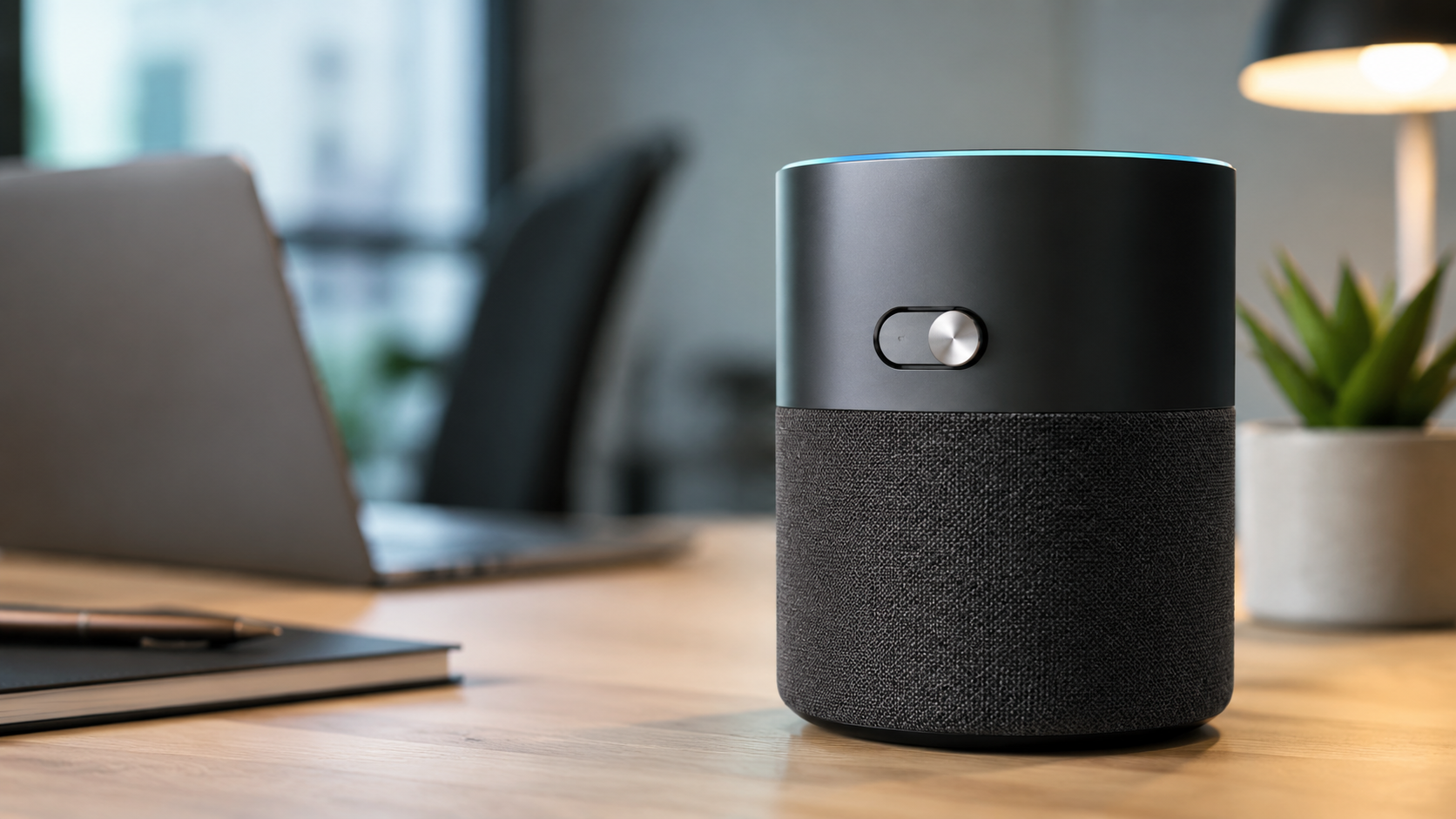
Not all mute functions are created equal. Some devices offer a physical switch that electrically cuts off power to the microphones. It’s not a software command that a bug or an update can bypass—it’s an open circuit, period. A technical review notes that the so-called hardware “mic mute switch” is the right choice for those who value privacy.
If you’re considering a purchase for the office, look only for models with this type of switch. It’s your guarantee that, when the device is muted, no processor is analyzing the voices in the room. In a professional setting where sensitive data is discussed, this detail is worth more than any audio specification.
How to Manage Wi-Fi to Prevent Corporate Data Leaks
Smart speakers rely on a connection. They constantly communicate with remote servers, and if your network isn’t secure, they become a potential gateway. Security, as a specialized article points out, is a form of conscious control over the environment in which you work.
The practical advice is simple: create a separate Wi-Fi network for IoT devices, including smart speakers. Most modern routers allow you to set up a guest network with a single click. This way, even if the device were compromised, it would remain isolated from the main network where you manage invoices, customer databases, and confidential documents. Ten minutes of setup today will save you trouble tomorrow.
When It’s Best to Avoid Voice Assistants and Choose Dedicated Software
Sometimes the convenience of voice commands doesn’t justify the risk of an always-on microphone. If your goal is to manage customer communications, answer frequently asked questions, or qualify new leads, you don’t need hardware that listens to everything. You need a system that handles conversations professionally, only when necessary.
For activities like live chat on your website or automated responses on WhatsApp, there are business-focused platforms that don’t require any physical microphone. Tools like Leader24 centralize customer conversations without the need for always-on voice hardware, keeping business data separate from entertainment devices.
Which privacy settings to check on your device right away
If you already have a smart speaker in the office, there’s no need to rush out and buy another one. It only takes a few minutes to reduce the risks. A privacy guide suggests, as a first step, limiting access to the microphone and reviewing the storage settings for voice recordings.
Here’s what to do today, from your device’s management app:
- Turn off voice recording history and prevent recordings from being used to improve the service.
- Automatically delete voice data after a short period, such as 3 months, if the option is available.
- Limit personalization based on listening habits, which often requires more data than necessary.
These three steps take very little time and drastically reduce the amount of information leaving your office.
The Hardware Firewall as Additional Protection for the Corporate Network
When the office network is no longer a collection of isolated devices but an interconnected system, structured control is needed. A hardware firewall, as explained in a technical overview, is the most sensible choice for protecting the entire infrastructure.
Unlike a software firewall installed on a single computer, a hardware firewall sits between your network and the internet, filtering incoming and outgoing traffic for all connected devices. If you already have a smart speaker in your office, a hardware firewall adds a layer of protection that prevents unwanted outward communications, even if the device attempts to send data without your consent.
Frequently Asked Questions
Does the smart speaker record everything I say?
No, current commercial models only activate after a trigger phrase, such as “Hey Google” or “Alexa.” However, it’s true that the microphone remains in passive listening mode to recognize that phrase. That’s why it’s important to have a physical switch that turns off the microphone when discussing confidential information.
Can I use a smart speaker for work without any risks?
Yes, as long as you follow three precautions: use a device with a physical microphone switch, isolate it on a Wi-Fi network separate from the company network, and disable the voice recording history in the management app. By following these three steps, you’ll minimize the risks.
Are there microphone-free alternatives for managing customer communications?
Yes. If you need to respond to customers on WhatsApp or your website, you don’t need any voice-enabled hardware. AI-powered customer service platforms handle conversations via text, without microphones or ambient listening, offering much greater control over company data.
The security of your customers’ data doesn’t depend on large investments, but on everyday choices. Today, you can do three things in just a few minutes: set up a guest Wi-Fi network for smart devices, verify that every device in the office has a physical microphone mute switch, and delete the voice recording history from the management app. If your device doesn’t have a hardware mute button, consider whether you really need it or if you can replace it with a device better suited for a professional environment.
Leader24 Insights
If you’d like to learn more about how Leader24 addresses the topics covered, here are some resources to get you started:
Article written with the help of AI.
Ready to transform your customer service?
Activate your AI assistant on WhatsApp in 5 minutes. 30-day free trial, no credit card required.
Fonti
Related articles

Previsioni di magazzino: come usare NVIDIA Kumo sui tuoi dati
Scopri come superare la gestione manuale su Excel usando NVIDIA Kumo per previsioni di magazzino basate sull'intelligenza artificiale e dati storici.

Pubblicità intelligente: come l'AI cambia le tue vendite
Scopri perché il click non basta più e come l'intelligenza artificiale ti aiuta a gestire i lead, rispondere velocemente e chiudere più vendite ogni giorno.

How to Manage AI at School: Tips for Parents Who Are Entrepreneurs
Learn how to guide your children in using AI for their homework, transforming a distraction into an effective tutor through critical thinking.