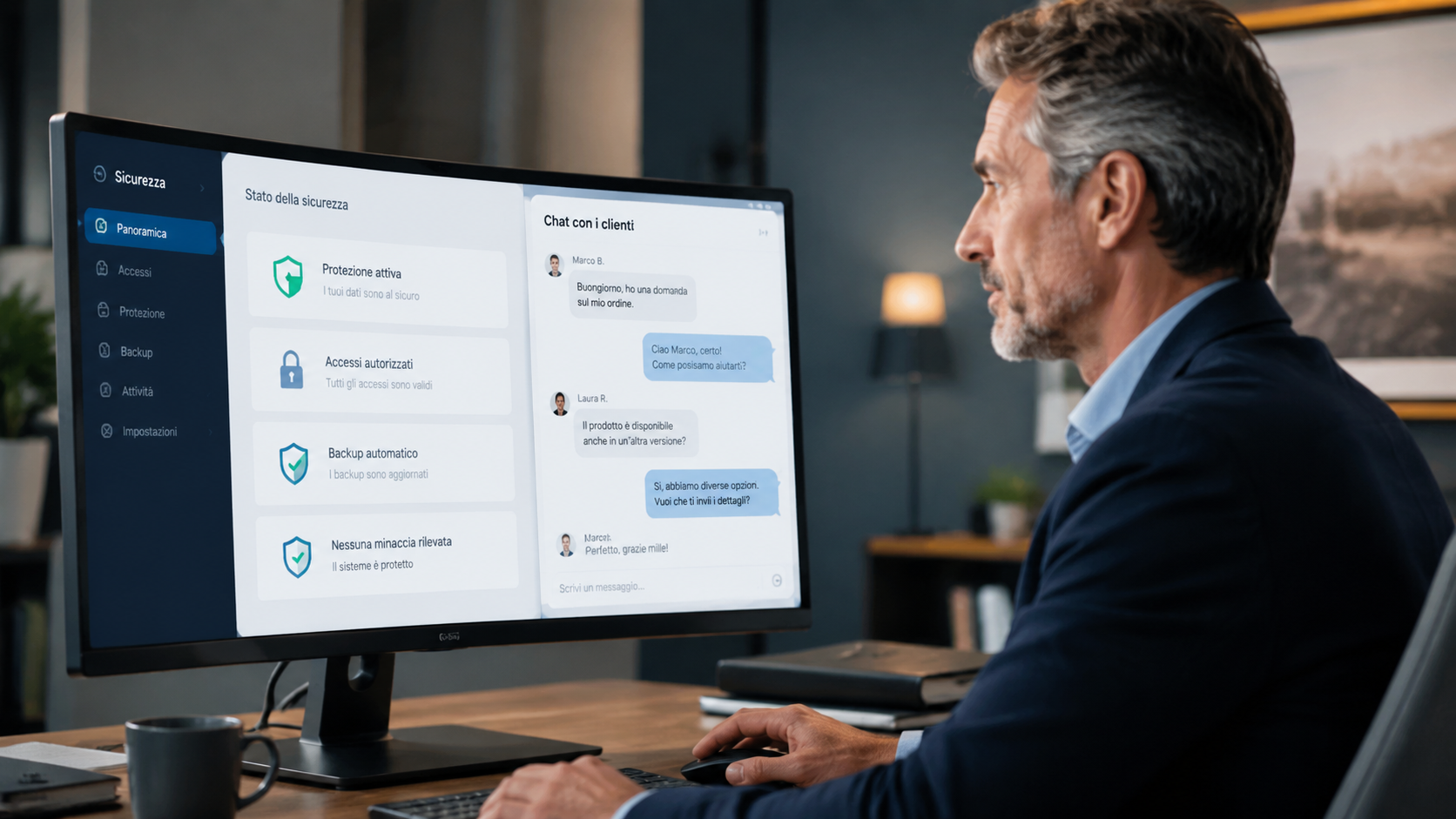
Data Security in the Workplace: A Practical Guide for Entrepreneurs
Find out how to protect your company's data by managing chats and AI without becoming a cybersecurity expert. Practical tips for a safe and organized work environment.
You’ve just set up software to manage customer chats, and everything seems faster and more organized. Then, as you sip your coffee, that question pops into your mind: Is the data passing through here secure? You’re not an IT specialist—you’re an entrepreneur who wants to do a good job without having to become a cybersecurity expert. The good news is that protecting your business’s data doesn’t mean you have to become a network engineer. It’s about understanding two key things: where sensitive information flows and which tools have access to what. Here’s a practical guide to help you navigate this, distinguishing between what you can delegate to specialists and what you can monitor yourself on a daily basis.
Your Office Is Digital: Why Security Isn’t Just for Technicians
Cybersecurity isn’t a product you buy once and then forget about. It’s a way of working, and the most common confusion among business owners revolves precisely around how they mix corporate network protection with the day-to-day management of customer data. Protecting the network means preventing anyone from breaking into systems, stealing files, or locking up computers—and that’s a job best left to specialists. For you, the first practical step is simpler: use reliable tools that keep sensitive data—such as invoices and contracts—separate from routine conversations with customers. This way, even if a WhatsApp account were compromised, the damage would be limited to the messages and wouldn’t extend to your business management system.
What Does “Multi-Agent Security” Really Mean?
In simple terms, it involves having multiple AI assistants collaborate on different tasks: one organizes invoices, another responds to customers on WhatsApp, and a third manages appointments. Efficiency increases, but so does the risk if these systems aren’t properly isolated from one another. The critical issue remains access: each AI agent should only see the data necessary to perform its job. If the assistant who responds to customers can snoop around in the invoice database, you’ve got a problem. That’s why it’s best to choose tools that maintain clear boundaries between tasks, rather than mixing everything into a single pot.
How to Distinguish Between Network Security and Customer Management
Don’t confuse cybersecurity with customer service: they’re two separate worlds, and mixing them up leads you to spend money on things you don’t need or to overlook real risks. If you’re worried that someone might steal data from your server, you need an IT consultant to perform a network audit. If, on the other hand, you want to respond to customers on WhatsApp quickly and professionally without creating a mess, you need a platform dedicated to managing conversations. These are different investments, with different objectives. Leader24 lets you centralize your website and WhatsApp chats in one place, so the information exchanged with customers stays within the service workflow without interfering with the sensitive data of your core business.
Which Tools to Use to Get Started Risk-Free
You don’t need an expensive arsenal, but rather tools that offer transparency about what they access and what they don’t. A tool for organizing internal tasks, for example, lets you keep team activities separate from customer communications. An appointment booking system shows customers only your availability without giving them access to your internal calendar. A platform for customer conversations, such as Leader24, helps you manage chats on WhatsApp and your website while maintaining control over automated responses and qualifying leads without exposing sensitive information.
The NIS2 Regulation: Should I Be Concerned?
The NIS2 Directive primarily concerns critical infrastructure such as energy, healthcare, transportation, and telecommunications networks. If you’re a small business, a professional practice, or a retail store, your main obligation remains compliance with the GDPR. Don’t try to become a cybersecurity expert: delegate network protection to specialists and focus on what you can control—namely, using software that respects customer privacy and doesn’t mix sensitive data with routine conversations.
The First Practical Step for Your Business
Don’t try to protect everything on your own. Grab a pen and paper or open a spreadsheet and make a list of your digital tools: email, website, WhatsApp, business management software, and any appointment-scheduling apps. For each tool, ask yourself whether it has access to your banking data or just your customer contacts. If it only handles contacts, make sure the provider is trustworthy and that you’ve enabled basic security settings. If, on the other hand, a tool handles financial data, you’ll need a more thorough review with a professional. If you want to start managing customer interactions in an organized way, try a dedicated solution for 30 days: it’s the best way to see if automation truly helps you save time without compromising your security.
This article is for informational purposes only. For specific protection of corporate networks against cyberattacks, always consult a certified cybersecurity professional.
Frequently Asked Questions
Do I need to buy special antivirus software for AI?
No, antivirus software protects your computer from malware and has nothing to do with the AI you use to respond to customers. What you really need is to choose reliable platforms that separate sensitive data from conversations.
If I use WhatsApp Business, is my data secure?
WhatsApp Business offers encryption, but it doesn’t protect you from human error or unauthorized access to your phone. True security is up to you: don’t share banking information via chat, and use a platform that keeps conversations separate from your business management system.
How much does it cost to secure everything?
It depends on what you mean by “everything.” A network audit performed by a professional varies in cost. For managing customer conversations, there are scalable plans with a 30-day free trial, so you can test them out with no obligation.
Leader24 Insights
If you’d like to learn more about how Leader24 addresses the topics covered, here are some resources to get you started:
Ready to transform your customer service?
Activate your AI assistant on WhatsApp in 5 minutes. 30-day free trial, no credit card required.
Fonti
Related articles

Previsioni di magazzino: come usare NVIDIA Kumo sui tuoi dati
Scopri come superare la gestione manuale su Excel usando NVIDIA Kumo per previsioni di magazzino basate sull'intelligenza artificiale e dati storici.

Pubblicità intelligente: come l'AI cambia le tue vendite
Scopri perché il click non basta più e come l'intelligenza artificiale ti aiuta a gestire i lead, rispondere velocemente e chiudere più vendite ogni giorno.

How to Manage AI at School: Tips for Parents Who Are Entrepreneurs
Learn how to guide your children in using AI for their homework, transforming a distraction into an effective tutor through critical thinking.