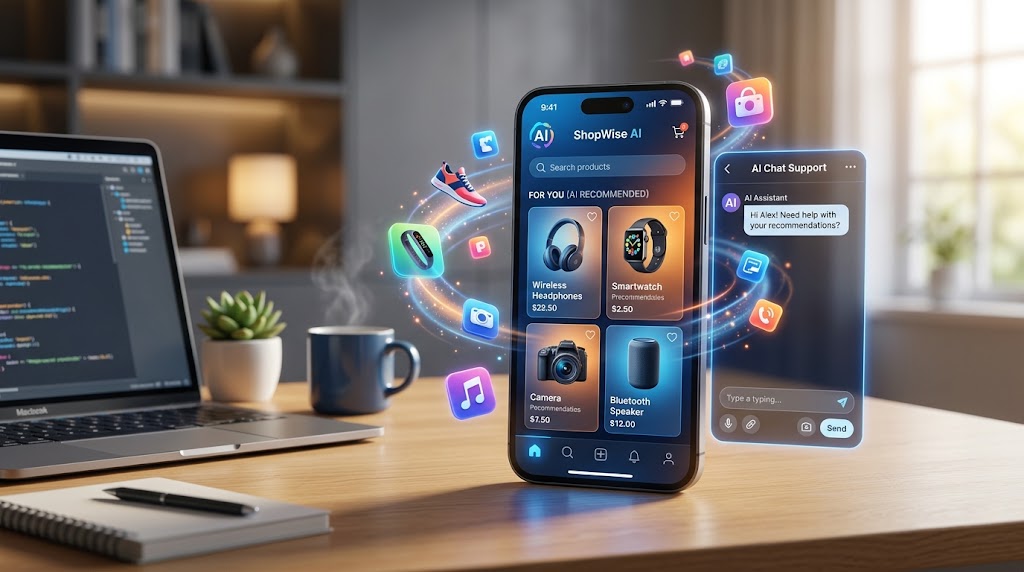
AI is reviving Apps: 3 ways to grow your online store
Hands-on tutorial: use AI to customize recommendations on Shopify with Rebuy/ChatGPT, generate visual content/texts with Canva/ChatGPT/Mailchimp, and automate emails for abandoned carts. Boost e-commerce sales easy!
```yaml title: AI is reviving Apps: 3 ways to grow your online store description: Discover 3 practical ways with AI to explode your online store sales: customize, automate, and support customers 24/7. Simple tools like Shopify and ChatGPT to get started today, without being an expert. ```
``AI is reviving Apps: 3 ways to grow your online store.
Think about your online store: hundreds of visits come in every day, but only a few turn into sales. Messages on WhatsApp arrive late at night, and marketing ends up in ignored emails or overly generic ads. With this hands-on tutorial, discover how to use AI to personalize the customer experience, automate your digital strategies, and give 24/7 support so your ecommerce sells even while you sleep. In a few clear steps, with free or inexpensive tools like Shopify and ChatGPT, get real results on sales, without needing to be a tech expert.
What you need before you get started.
Before moving on to the steps, prepare the basic requirements to integrate AI into your store seamlessly. Start with an active Shopify account: it is the easiest platform for e-commerce, with ready-made AI integrations, and starts at 29 euros per month after the free trial. Also create free accounts on ChatGPT for text, Canva for images and Mailchimp for email, all ready in 5 minutes from their sites.
Add WhatsApp Business, free from the app store, to manage chats with customers. If your site needs a makeover, look at an agency like Sevedo, which does sites and web apps optimized to sell fast. Count on 2-3 hours in a week, plus 30 minutes a day for testing. Link everything to Google Analytics, free: go to analytics.google.com, create the account and paste the code into Shopify to track results right away.
With these tools in hand, get to the steps: each tells you exactly what to click, what to enter, and what to expect. Start with the first one for a quick boost in product recommendations, one of the most effective tactics with AI.
Step 1: Customize product recommendations with AI on Shopify.
Log into your Shopify panel from shopify.com, log in, and click on "Apps" in the menu on the left. Search for "Rebuy" or "Searchanise": these are free or low-cost AI apps, ranging from 0 to 19 euros per month, that study visitor behaviors to suggest suitable products. Choose Rebuy, click "Add app" and authorize: it installs in less than 2 minutes.
Then go to "Customize" in the app and set basic rules, such as "Recommendations from past purchases" and "Similar products displayed." Save everything. To test, open the site incognito, browse categories like "summer clothing," and you'll see a "You might like" section with targeted suggestions, perhaps at the bottom of the page or in the shopping cart. Customers find suggestions designed for them, spend more time on the site, and complete more shopping carts, without you having to do anything manually.
To improve even more, use ChatGPT: at chat.openai.com, type "Generate 5 unique descriptions for summer t-shirts for a 40-year-old runner, friendly tone and good for SEO." Copy the texts into Shopify's product sheets. So the descriptions persuade more, cut returns and keep customers loyal. This step makes your store less anonymous, also perfect for local customers if you sell in your area.
Step 2: Generate visual content and text for campaigns with ChatGPT and Canva.
Go to Canva.com, create a free account and select "Create Design" > "Post for Social" or "Email Banners." Upload a photo of your products, activate "Magic Studio" and write "Turn this photo of shoes into a banner for summer promo with '20% off today only'." The AI creates ready-made variants in seconds: take the best one, download it in PNG and keep it aside.
Now switch to ChatGPT with a prompt like "Write 3 emails for discounted shoe promo, for those who have seen but not bought, with catchy subjects." Copy the texts. On Mailchimp.com, log in (free up to 500 contacts), go to "Campaigns" > "Create emails": paste the content from ChatGPT, add the Canva image, and choose the abandoned cart list from Shopify, which integrates easily.
Send a test to yourself to check: the email arrives with a subject line that appeals, like "The shoes you like at half price?", curated images, and a clear call-to-action. For a local touch, add "mention free shipping to [your city]" in the prompt. This way you automate marketing, save half the time, and get more clicks and sales.
Step 3: Automate targeted emails with Mailchimp's AI.
In the Mailchimp dashboard, click "Automations" and then "Create Automation" > "Abandoned Cart." Connect Shopify with "Integrate," authorize and set triggers such as "customer adds to cart but does not buy." AI creates base sequence: edit flow to send first email after 1 hour, with custom content.
Customize by clicking on the email, use "Content Optimizer" for subject and text based on your past data. Set up for "who saw shoes" type segments. Test with "Send Preview" to your address: get the series, first a reminder of the item, then a discount and finally a related upsell, all driven by AI guessing what works.
For graphics, import templates from Canva into Mailchimp. That way campaigns start on their own, turn leads into customers and cut waste. Many stores notice more opens because of AI-generated subjects.
Step 4: Set up 24/7 customer support with AI on WhatsApp and site.
If you don't have it, download WhatsApp Business, verify the number, and go to Settings > Business Tools > Quick Messages for Easy Answers. For true AI support, use Leader24: integrates chat on site and WhatsApp with natural responses, qualifies leads, and switches to you when needed, with 30 days free.
Sign up at leader24.ai/en/signup, connect WhatsApp and Shopify in 10 minutes with the wizard: authorize APIs and set up flows like "If asking for stock, check availability." Add widget to site: in Shopify, go to Themes > Customize > Add chat section. Try typing from your phone "Do you have size M shirts?" at 2 a.m.: get instant response with real stock and link to cart.
Alternatively, use WhatsApp's Flows for basics. So customers are happy even after hours, chats become easier sales.
How to verify that it works
After the steps, look at real-time results to see AI at work. In Shopify, on "Analytics" > "Reports," check "Conversion Rate" and "Carts Completed," compare to the week before-you'll notice more clicks on recommendations. On Google Analytics, filter "Chat events" or "Email clicks" with UTM from Mailchimp.
For WhatsApp and Leader24, look at dashboard: automatic vs. manual responses, leads generated. Test from another number and track if it leads to orders. If after 7 days you see no more chat or sales from email, refine AI prompts for your audience.
Common mistakes and how to fix them.
A common problem is adding too many AI apps and slowing down the site on mobile: check the speed at pagespeed.google.com and remove unnecessary ones from Shopify. Start with one per type, test on your phone. Another mistake: generic AI responses, solve with precise prompts on ChatGPT, like "Reply as a friendly salesperson at an Italian clothing store."
Don't neglect privacy: use only tools like Shopify and Mailchimp, GDPR-ready, and add cookie banners if needed. If integrations don't work, redo API permissions. For a better design, try Labcreators at the beginning. Check Google Analytics weekly: if bounces are high, simplify. With these adjustments, everything scales smoothly.
Open Shopify now, install Rebuy in 15 minutes, and track changes tomorrow for first results.
Ready to transform your customer service?
Activate your AI assistant on WhatsApp in 5 minutes. 30-day free trial, no credit card required.
Fonti
Related articles

Trasforma le tue idee creative in campagne pubblicitarie efficaci
Scopri come trasformare un'intuizione in una campagna pubblicitaria concreta, capace di generare contatti reali e vendite misurabili per la tua attività.

Usa Virtual Try-On per ridurre i resi e vendere di più online
Scopri come il Virtual Try-On rivoluziona l'e-commerce di moda, riducendo i resi per taglia e migliorando l'esperienza d'acquisto con l'intelligenza artificiale.

Perché la scarsa preparazione digitale blocca il tuo business
Scopri come digitalizzare i processi aziendali senza stress. Semplifica il lavoro, automatizza le risposte ai clienti e supera la resistenza al cambiamento.