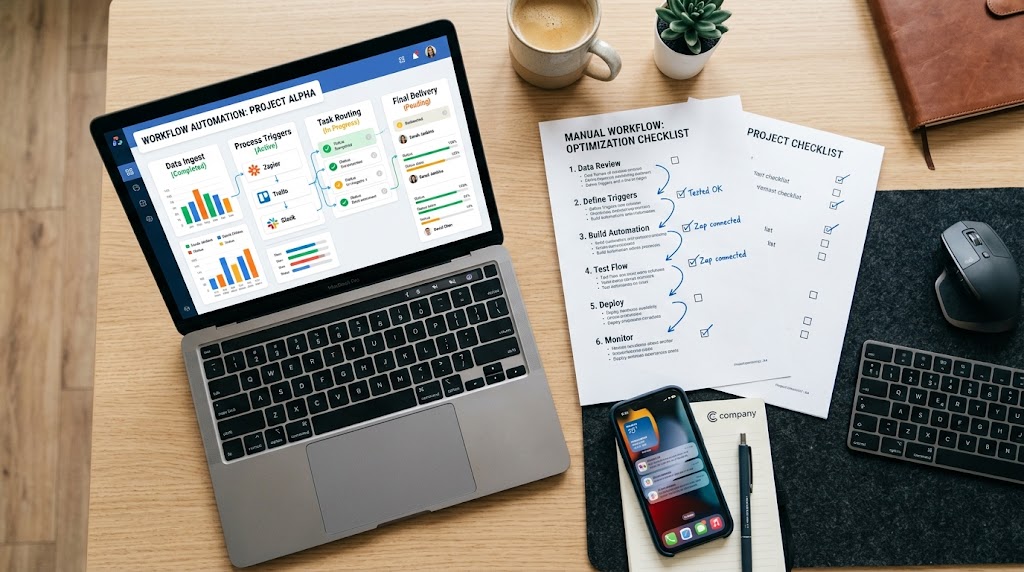
Practical guide to automation for small business: save time
Learn how to automate repetitive tasks in your small business to reclaim valuable time and scale productivity without being an expert.
You're mid-morning and you already have three things pending: a quote to send, a sheet to update, and a client waiting for a response on WhatsApp. The problem is not laziness, it's the system: you're doing everything by hand, every time, all over again. Automation was born exactly for this, not to replace your work, but to take away the repetitive tasks that consume time without giving you anything in return. In this article you will find a practical path to get started, even if you have never touched automation software in your life.
What "automate" really means for a small business.
Automation is not programming, it's not the stuff of computer scientists, and it doesn't require a big-business budget. It simply means creating a chain of digital actions that trigger themselves when a certain condition occurs. If an order comes in, an email confirmation starts. If a customer fills out a form, his data ends up in your management system. If a deadline expires, a reminder arrives to your team, without you having to do anything.
The starting point is to recognize what activities you do every day that you might describe like this, "Every time X happens, I do Y." Those are the perfect candidates to start with.
What activities you should automate first
It doesn't make sense to automate everything at once. It's better to start with the activities that eat up the most of your time but don't really require your judgment, the ones where your brain doesn't add anything special.
That's where most small businesses waste the most hours per week:
- Manual data entry: copying information from email to spreadsheet, from order to management, from form to CRM. It is the number one candidate for automation.
- Sending standard communications: order confirmations, appointment reminders, post-purchase follow-ups. Messages that you always write the same and that a system can send on its own for you.
- Updating tasks and projects: manually moving a tab from "in process" to "completed" every time a colleague finishes something is time wasted, and you know it.
- Collecting and sorting requests: every message that comes in on different channels that you need to read, categorize, and turn over to the right person can be handled automatically.
If you recognize even two of these points in your daily workflow, you already have a concrete starting point.
How to choose the right tools without being an expert.
The automation tool market is full of options, and choice paralysis is real. The most useful criterion for orientation is one: does the tool connect to apps you already use?
Tools like Zapier or Make are born to do just that: they link different apps together without the need to write a line of code. You can, for example, make sure that whenever an email arrives with a PDF attachment, that file is automatically saved to a shared folder and your team is notified on Slack. No manual action, no risk of forgetting.
Before you choose, ask yourself three questions: what apps do I already use every day? What exactly do I want to automate? Who on the team will use this tool? If you can answer all three, you already have most of the information you need to choose well.
How to standardize team work without becoming the bottleneck.
One of the most common problems in small businesses is that processes exist only in the owner's head. When an employee has a concern, he calls you. When a new customer comes in, you reinvent the wheel. And you end up being the point of reference for every little decision, even the ones that don't really affect you.
Automation works much better when there is a written process behind it. Before you automate something, document how it is done: what are the steps, who does what, what are the decision criteria. Tools such as Trello allow you to create shared work areas where each task follows a clear path, with deadlines, responsible parties, and statuses visible to all. When the process is clear and the team knows where to look, you stop being the only point of reference, and you gain space to think about what really matters.
Managing out-of-hours customer requests: what you can do right away.
Customers do not respect office hours, and that is a fact. Many requests come in the evening, on weekends, or on holidays. If no one is there to respond, that request can end up at the competitor's within a short time.
The solution is not to be glued to the smartphone, but to set up automated responses that confirm the intake and give a clear indication of when the real answer will arrive. WhatsApp Business, for example, allows you to set up welcome and absence messages with just a few clicks. For those who want to go a step further, there are tools that autonomously handle FAQs on WhatsApp and on the site, leaving only those conversations that really require judgment to the human operator.
If you want to explore this direction without having to set up five different apps, Leader24 unifies chat management, automated responses, and operator handoffs into one platform, with a free trial to test it all out without commitment.
The first practical step to get started this week.
The most common mistake is wanting to automate everything at once. The result is a project that never starts. The method that really works is different: choose one task, the most repetitive and time-consuming, and automate it within 48 hours.
Here's how to actually go about it:
- Write down the three activities that take you the most time but do not require complex decisions.
- Choose the one that is repeated most often during the week.
- Search on Zapier or Make to see if there is already a ready link between the apps you use: in most cases there is, and setup is faster than you imagine.
- Activate the automation and monitor it for a week. Does it work as you expect? Move on to the next item on the list.
The learning curve is lower than you think. After the first automation, the second one sets up in half the time. It really is a muscle: the more you train it, the less it costs you to use it.
Automating doesn't mean losing control of your business; it means exercising it smarter. Small businesses that grow sustainably don't do it by hiring a person for every problem, but by building systems that work even when the owner isn't there. The point is not to become a technology expert, but to figure out where your time is most valuable and leave the rest to the machines.
Frequently asked questions.
Where do I start if I have never used automation tools?
Start with a concrete problem, not a tool. Identify a task you do repetitively every day and search Zapier to see if there is a ready-made solution. In most cases you will find already configured templates that only require linking to your accounts.
Is automation suitable even for a small business with a few employees?
Yes, indeed: small businesses benefit the most from automation, precisely because every hour saved weighs more in the total. You don't need big budgets, because many tools have free plans or no-cost trials that allow you to test before you commit.
How do I know if an automation is working well?
Measure only one thing: how much time you used to spend on that activity and how much you spend now. If the result is zero and the quality is equal or better, the automation is working. If you find frequent errors or wrong results, the underlying process probably wasn't defined enough, go back and document it before automating.
Leader24 Insights
If you want to learn more about how Leader24 addresses the issues touched on in this article, these are the starting resources:
Ready to transform your customer service?
Activate your AI assistant on WhatsApp in 5 minutes. 30-day free trial, no credit card required.
Fonti
Related articles

Perché il rallentamento dell'IA è un vantaggio per la tua azienda
I colossi tech rallentano lo sviluppo dell'IA: scopri perché questa prudenza rende i tuoi strumenti di automazione più stabili, sicuri e professionali.
Come semplificare il lavoro automatizzando i processi aziendali
Scopri come integrare i tuoi strumenti di lavoro, automatizzare le attività ripetitive e centralizzare le informazioni per eliminare il caos quotidiano.

Smart TVs in the Office: How to Protect Your Customers' Privacy
A Smart TV in the waiting room can compromise data security. Learn how to set up your devices correctly and protect your practice's network.